
Maintaining your WordPress website is essential to ensuring that it runs smoothly and stays secure. Unfortunately, many business owners don’t know how to do this themselves. That’s why we’ve put together a list of the six most essential tasks that you should be performing on a regular basis.
Maintain your WordPress website with these 6 easy steps

How dashboards can help your business grow

A dashboard is a business intelligence tool that allows businesses to track key performance indicators (KPIs). This can be particularly useful for making informed decisions and strategies. Here are some uses of dashboards in real-life business situations.
Turn off these Windows 11 settings to protect your privacy

Windows 11 helps users by giving useful suggestions as they type and by displaying ads based on their online searches. But these can feel invasive, especially if you don’t want anyone prying into your online activity. To ensure your privacy and keep Microsoft’s watchful eye off your computer activity, follow these tips.
A closer look at fileless malware

To avoid detection by anti-malware programs, cybercriminals are using fileless malware to initiate attacks. Fileless malware is used to infiltrate trusted applications and issue executables that blend in with normal network traffic, IT processes, and system administration tasks while leaving fewer footprints.
How to choose the right health app or wearable tech

The healthcare industry has been leveraging technology to improve patient outcomes. Innovations such as health apps and wearable tech even empower patients to exercise greater control over improving the quality of their lives.
How does the Microsoft 365 Apps admin center empower IT admins?

As companies gradually adjust to and recover from the effects of the coronavirus pandemic, IT teams must ensure sufficient support for flexible working arrangements through cloud-based solutions. Microsoft stepped up to the challenge by equipping the Microsoft 365 Apps admin center with powerful features that enable IT administrators to handle these tasks more efficiently.
Your SMB will enjoy the flexibility provided by hybrid cloud platforms

Hybrid cloud platforms are a great way to improve a business’s agility and flexibility, as they can be used to host business components in an affordable and low-impact manner. But what exactly is the hybrid cloud, and what are its specific advantages for small- and medium-sized businesses (SMBs)? Read on to learn more.
Leverage business intelligence to achieve your SMB goals
Business intelligence (BI) tools used to be prohibitively expensive because they required hiring specialists to analyze business data. This is why only large companies could afford them in the past and why small- and medium-sized businesses (SMBs) were hesitant to implement them.
Should you upgrade to Windows 11?

Windows 11 is here, and many users are wondering whether they should upgrade. The new Microsoft operating system (OS) introduces quite a few nifty features, but it also has its share of controversies. So, should you take the plunge? Here are some things you need to know before making that decision.
Why password autofill is risky
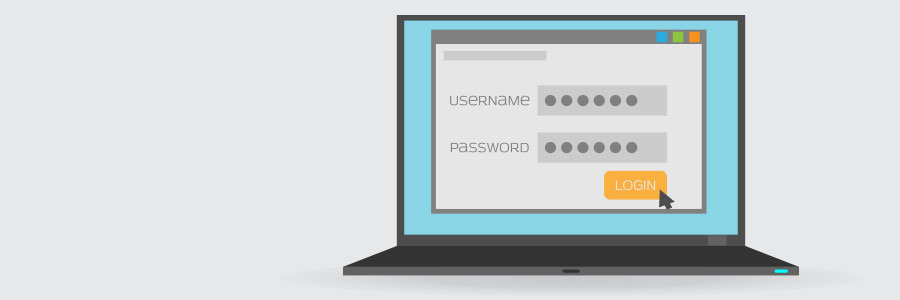
Many people use password autofill on their web browser or password manager for convenience. The feature, however, can be used by hackers and advertisers to access user accounts and gather your sensitive information without your consent.
Why password autofill is so dangerous
Modern web browsers and password managers have a feature that enables usernames and passwords to be automatically entered into a web form.